> For the complete documentation index, see [llms.txt](https://panduan.inviday.id/llms.txt). Markdown versions of documentation pages are available by appending `.md` to page URLs; this page is available as [Markdown](https://panduan.inviday.id/en/guests-and-sharing/guestbook.md). Agents can also search and read this documentation through its [MCP server](https://panduan.inviday.id/~gitbook/mcp).
# Guestbook
Manage the guest list, follow attendance, and moderate wishes.
The Guestbook holds all of your invitation's guest data in three tabs: **Guest List**, **Attendance**, and **Comments**. Open it from the **Guestbook** menu on the Personal dashboard, or from the **Guestbook** menu in Studio for Business accounts.
## Guest List
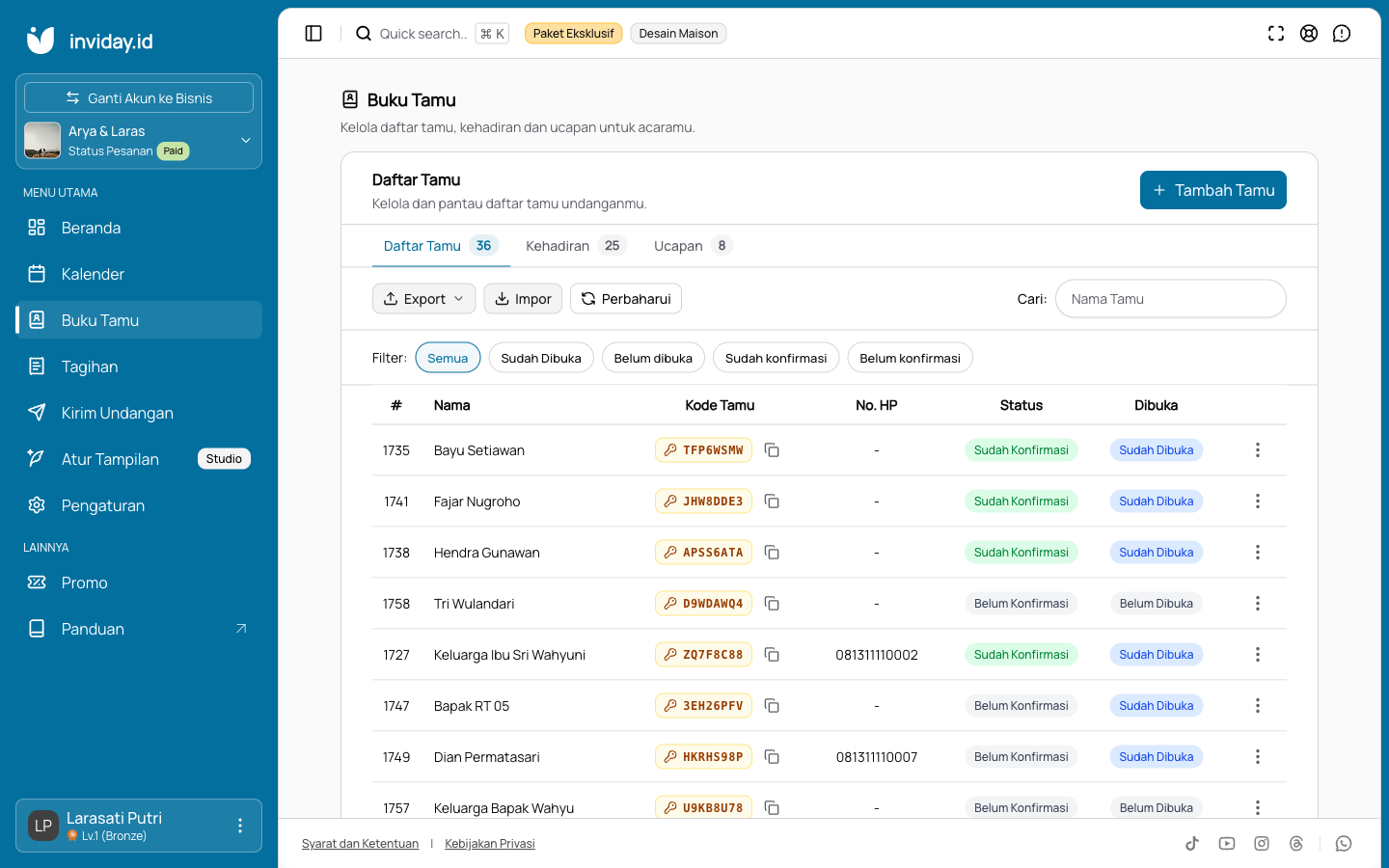
The guest list is available on the Premium plan and above, once the invitation is paid. Each guest gets a **Guest Code**, so their opens and RSVP are recorded under their name.
The Guest List tab
### Adding a guest
Click **Add Guest**, then fill in the **Name**, **Phone Number** (with the country code, a number active on WhatsApp), **Number of guests**, and **Confirm attendance** if you already know it.
### Importing from Excel or CSV
{% stepper %}
{% step %}
### Download the template
Click **Import**, then **Download Template**. Replace its sample row with your guests: the **Name** column is required, **Phone** is optional.
{% endstep %}
{% step %}
### Upload the file
Upload an .xlsx or .csv file, up to 2 MB and 1,000 rows, then click **Continue to Preview**.
{% endstep %}
{% step %}
### Check and import
The preview marks invalid rows. They're skipped, so fix the file or continue with the valid rows. Click **Import** to save.
{% endstep %}
{% endstepper %}
### Guest status
| Status | Meaning |
| --------------- | ---------------------------------------------- |
| **Unopened** | The guest hasn't opened their invitation link. |
| **Opened** | The guest has opened the invitation. |
| **Unconfirmed** | The guest hasn't filled in the RSVP. |
| **Confirmed** | The guest has filled in the RSVP. |
Click **Send Message** on a guest to send them their personal invitation. See [Send Invitations](https://panduan.inviday.id/en/guests-and-sharing/send-invitations.md).
### Exporting the data
On the Exclusive plan, click **Export**, then choose the **Export language** (Indonesia or English) to download the guest data to Excel.
## Attendance
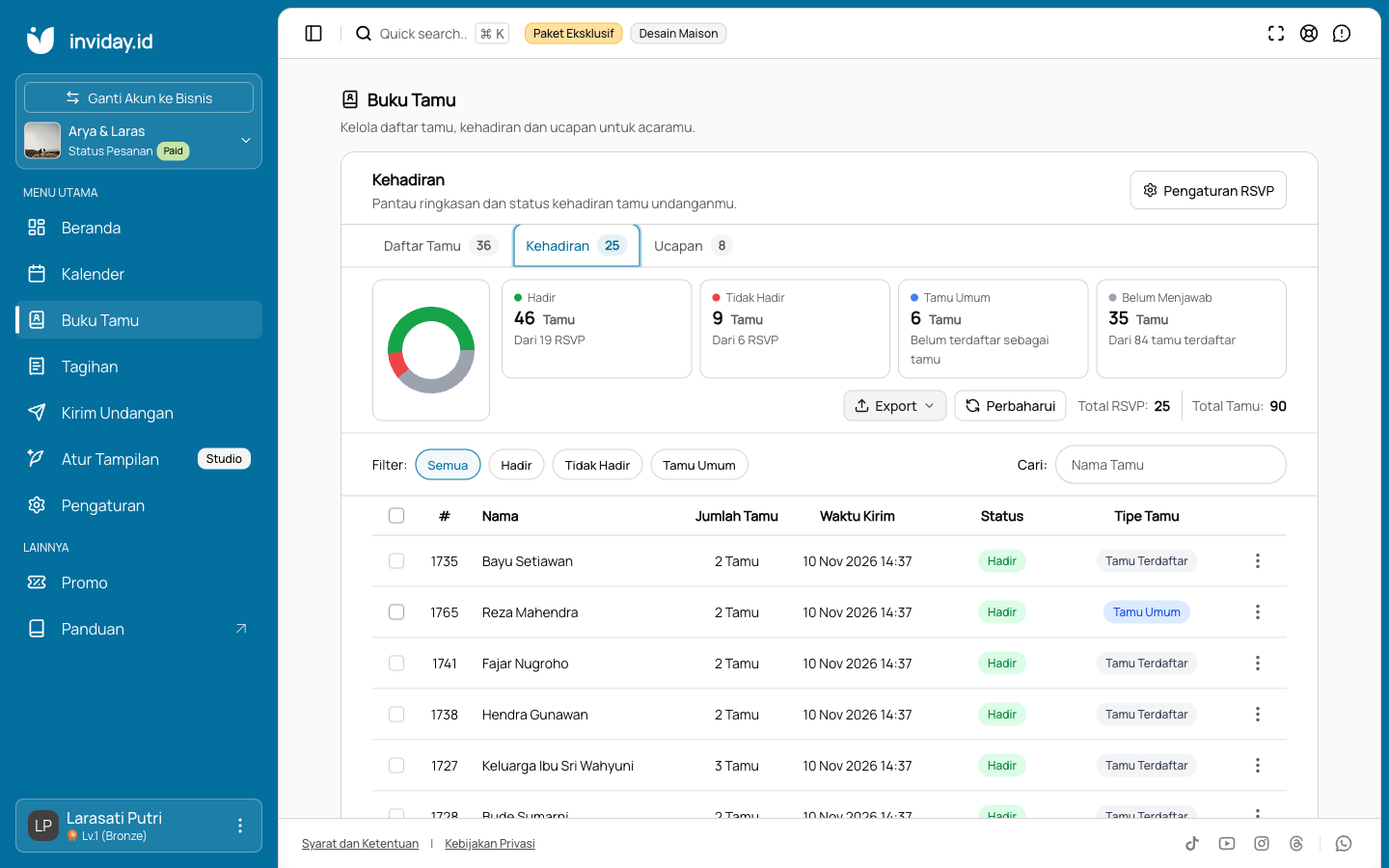
The **Attendance** tab shows the RSVP results: a summary per status (Present, Not Present, Unanswered, Public Guests), filters, and the list of guests who have answered.
The Attendance tab
* **RSVP Settings**: set the total **Guest Limit**. See [RSVP](https://panduan.inviday.id/en/studio/rsvp.md).
* **Move to guest list**: move Public Guests (who filled in the RSVP without a personal link) to the guest list. They're registered as invited guests, marked as having opened the invitation, and given a new guest code. You can select several guests at once.
{% hint style="warning" %}
Deleting a guest can't be undone. The guest's wishes are deleted too.
{% endhint %}
## Comments
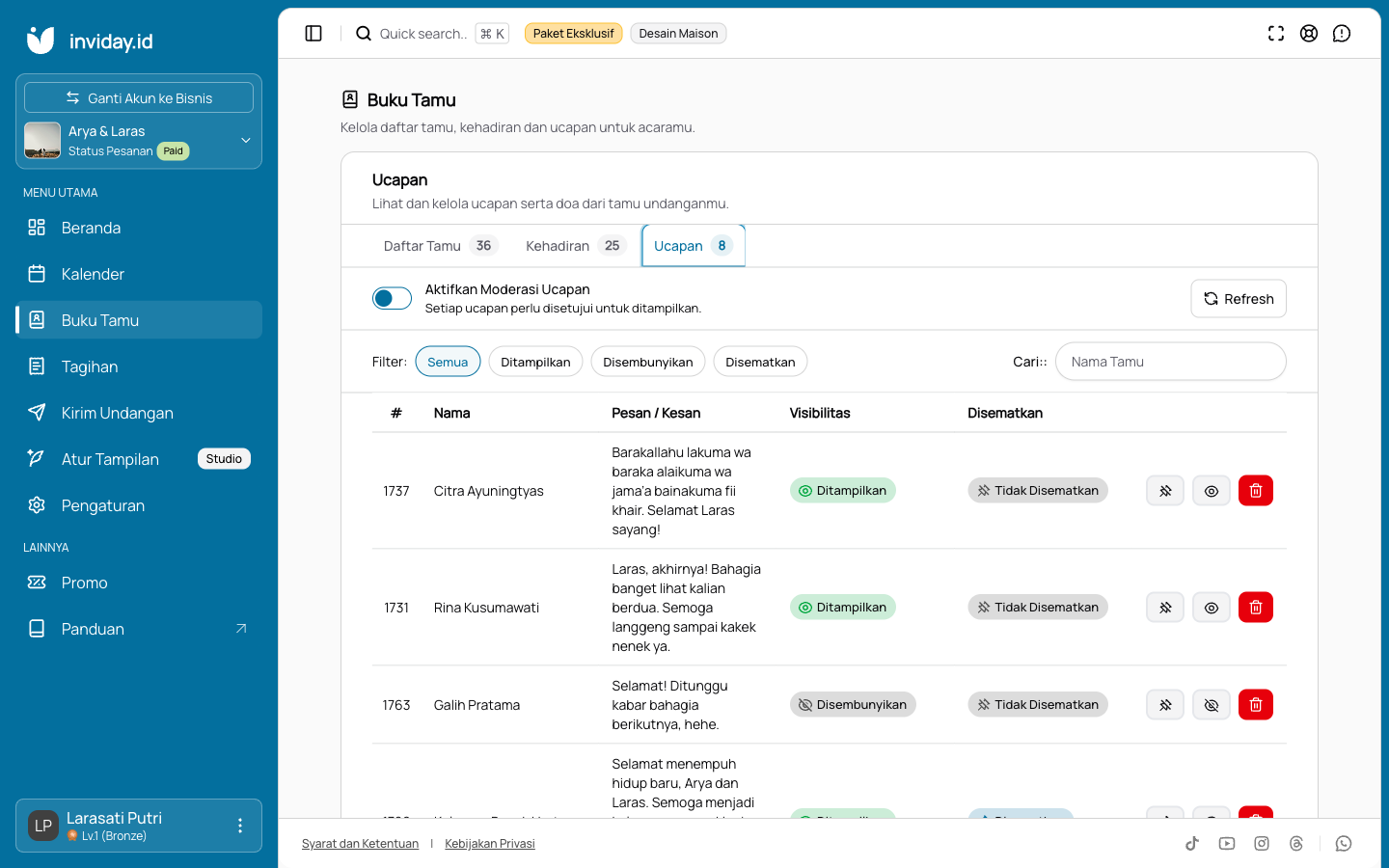
The **Comments** tab holds guests' wishes and prayers. You can show, hide, pin, delete, and moderate them. See [Wishes and Prayers](https://panduan.inviday.id/en/studio/wishes.md).