> For the complete documentation index, see [llms.txt](https://panduan.inviday.id/llms.txt). Markdown versions of documentation pages are available by appending `.md` to page URLs; this page is available as [Markdown](https://panduan.inviday.id/en/studio/about-studio.md). Agents can also search and read this documentation through its [MCP server](https://panduan.inviday.id/~gitbook/mcp).

# About Studio

Get to know Studio, where you set up all of your invitation's content and look.

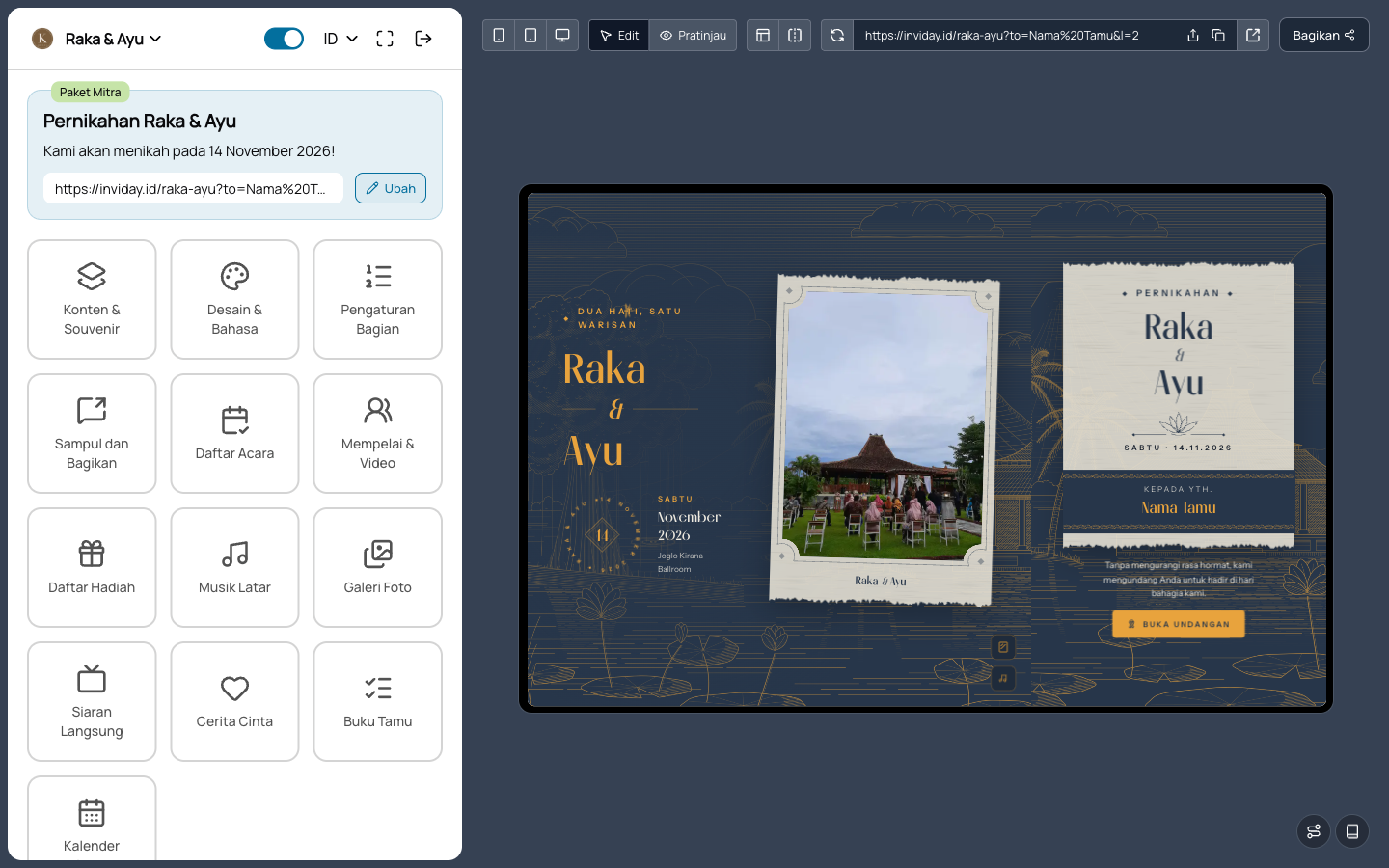
Studio is where you set up your invitation. On the left is the menu panel, and on the right is a preview of the invitation as guests see it. Every change shows in the preview right away.

Open Studio from the **Customize Design** menu (Personal account), or by opening an invitation from the **Invitations** menu (Business account).

<figure><img src="https://content.gitbook.com/content/W7QvsP5yqX9K1k6YI03Q/blobs/TBGIzEQAPdebonuCIl5F/inviday-studio-opened.png" alt="Studio, with the menu panel on the left and the invitation preview on the right"><figcaption><p>Studio: the menu panel on the left, the invitation preview on the right</p></figcaption></figure>

## Studio menus

| Menu                                                            | For                                                                                                                                                                                                                    |
| --------------------------------------------------------------- | ---------------------------------------------------------------------------------------------------------------------------------------------------------------------------------------------------------------------- |
| **Content & Souvenir**                                          | Opening, body, and closing texts, header images, the souvenir card, and the design's static texts. See [Content Settings](https://panduan.inviday.id/en/studio/content-settings.md).                                   |
| **Design & Language**                                           | Change the design, colors, fonts, and language. See [Design and Language](https://panduan.inviday.id/en/studio/design-and-language.md).                                                                                |
| **Section Settings**                                            | The order of sections and which ones are hidden. See [Section Settings](https://panduan.inviday.id/en/studio/section-settings.md).                                                                                     |
| **Cover Settings** (Personal) or **Cover and Share** (Business) | The invitation's opening cover. See [Cover and Share](https://panduan.inviday.id/en/studio/cover-and-share.md).                                                                                                        |
| **Event List**                                                  | Events, sessions, participants, and venues. See [Event List](https://panduan.inviday.id/en/studio/event-list.md).                                                                                                      |
| **Couples & Video**                                             | The couple's profiles and a YouTube video. See [Couple and Video](https://panduan.inviday.id/en/studio/couple-and-video.md).                                                                                           |
| **Gift List**                                                   | Bank accounts and a gift address. See [Gift List](https://panduan.inviday.id/en/studio/gift-list.md).                                                                                                                  |
| **Background Music**                                            | The invitation's music. See [Background Music](https://panduan.inviday.id/en/studio/background-music.md).                                                                                                              |
| **Photo Gallery**                                               | Gallery photos. See [Photo Gallery](https://panduan.inviday.id/en/studio/photo-gallery.md).                                                                                                                            |
| **Live Stream**                                                 | The live stream link. See [Live Stream](https://panduan.inviday.id/en/studio/live-stream.md).                                                                                                                          |
| **Love Story**                                                  | A timeline of your love story. See [Love Story](https://panduan.inviday.id/en/studio/love-story.md).                                                                                                                   |
| **Guestbook** and **Event Calendar** (Business)                 | Guests, attendance, wishes, and the calendar. See [Guestbook](https://panduan.inviday.id/en/guests-and-sharing/guestbook.md) and [Event Calendar](https://panduan.inviday.id/en/guests-and-sharing/event-calendar.md). |
| **Add-ons** (Business)                                          | Extra features for the invitation, paid separately. See [Add-ons](https://panduan.inviday.id/en/plans-and-payment/add-ons.md). Personal accounts buy them from the dashboard.                                          |

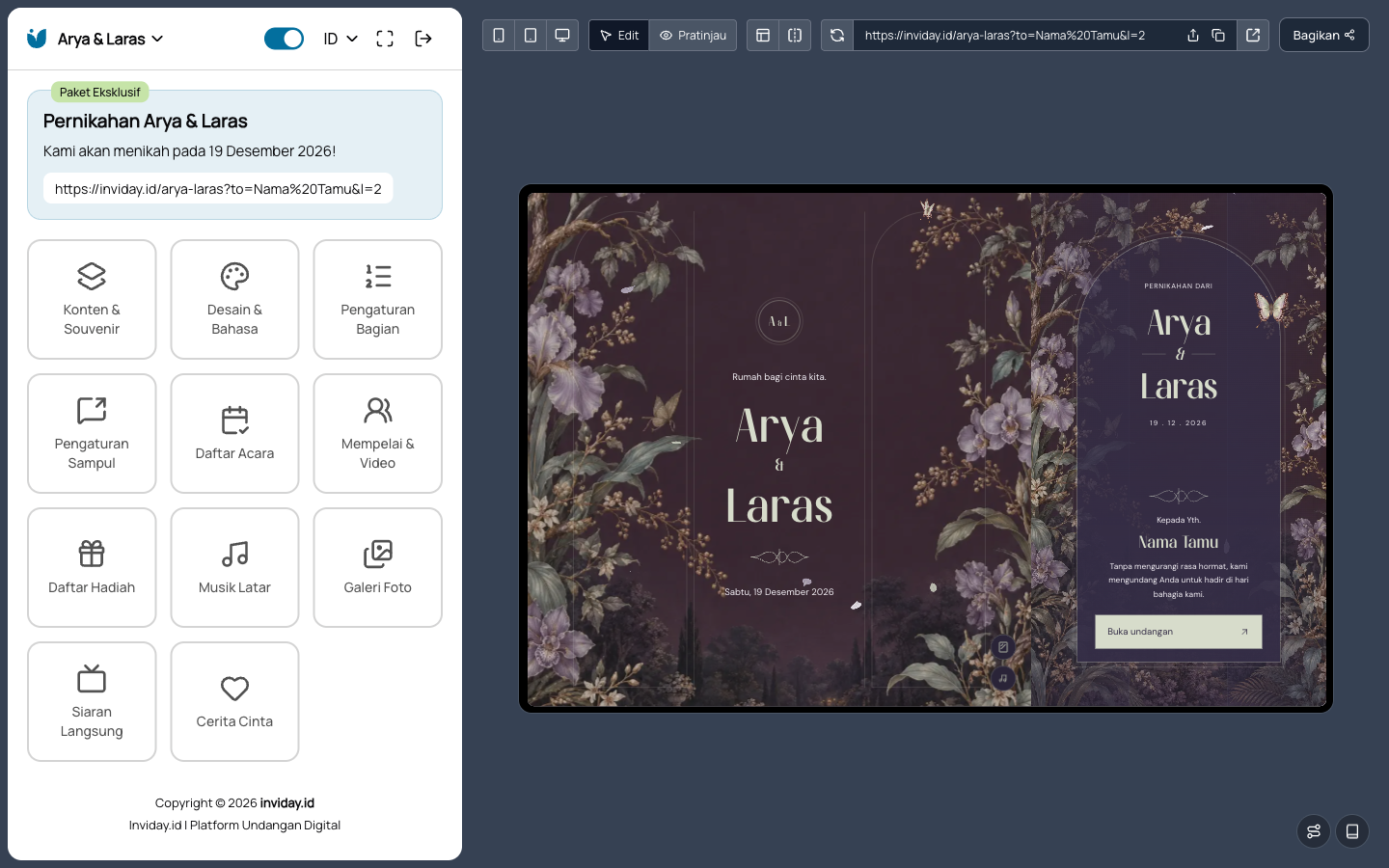
Menus that aren't in your plan are marked and can't be opened. See [Invitation Plans](https://panduan.inviday.id/en/plans-and-payment/invitation-plans.md).

<figure><img src="https://content.gitbook.com/content/W7QvsP5yqX9K1k6YI03Q/blobs/37jn5BgQxW6oDHfcNVwF/inviday-business-studio.png" alt="Studio in a Business account"><figcaption><p>In a Business account, Studio also has the Guestbook and Calendar</p></figcaption></figure>

## Buttons above the preview

* **Desktop**, **Tablet**, **Mobile**: see the invitation at different screen sizes.
* **Edit** and **Preview**: in Edit mode you change the invitation right in the preview. In Preview mode you try the invitation as a guest would, for example opening the cover and playing the music. See [Edit in the Preview](https://panduan.inviday.id/en/studio/edit-in-the-preview.md).
* **Show/Hide Cover** and **Show/Hide Opener Animation**: hide them for a moment in the preview only; guests aren't affected.
* **Refresh Invitation**: reload the preview.
* **Copy Link** and **Open Invitation**: copy or open the invitation link.
* **Share**: give someone else [edit access](https://panduan.inviday.id/en/guests-and-sharing/share-edit-access.md).

At the top of Studio there's also the invitation picker (**Switch Invitation**), the **Activate Invitation** or **Deactivate Invitation** button, and a link to [General Settings](https://panduan.inviday.id/en/studio/general-settings.md).

{% hint style="info" %}
Guests can't open a deactivated invitation until you activate it again.
{% endhint %}

## Saving changes

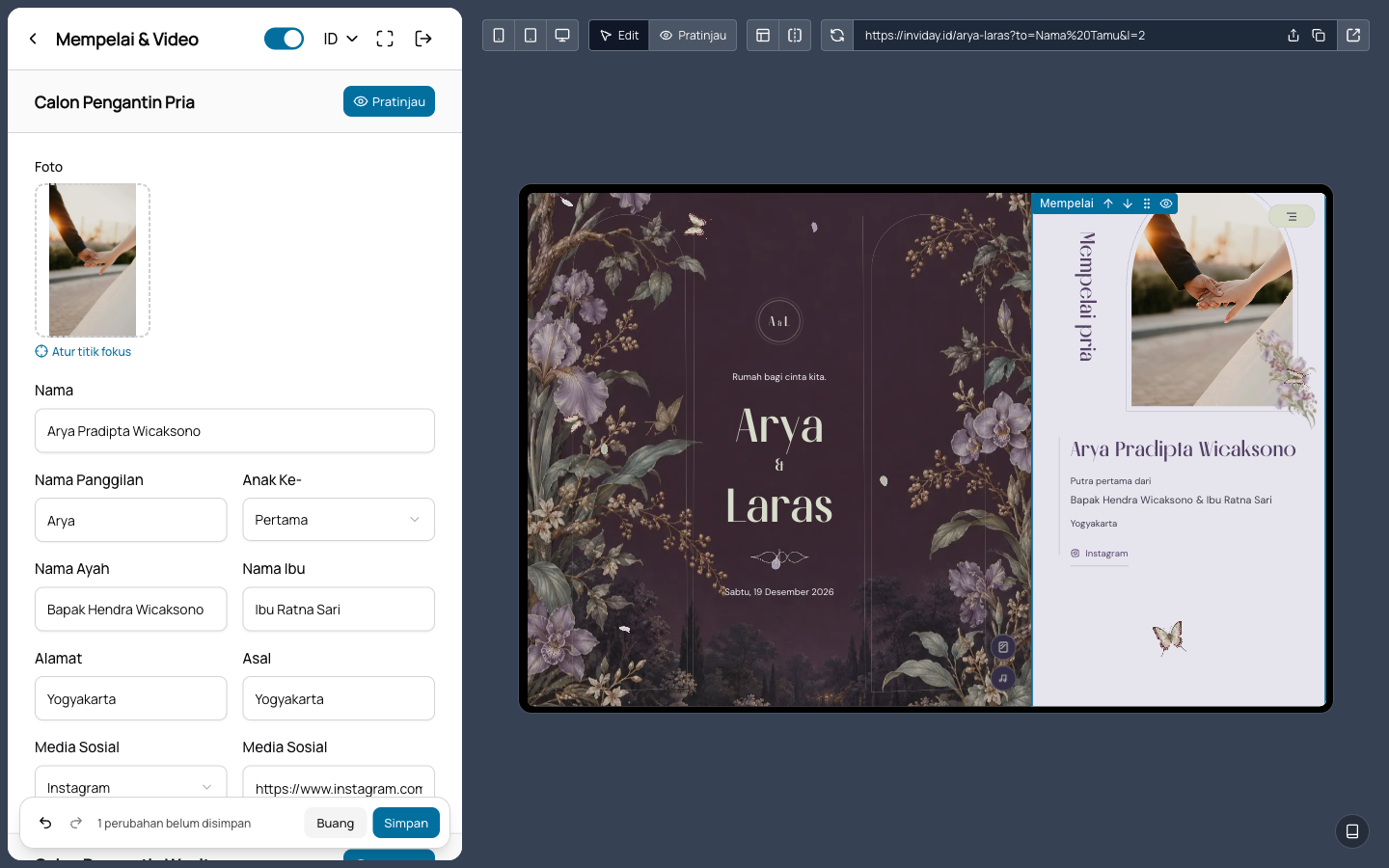
Most changes are kept as a draft until you save them, so guests never see an unfinished invitation. When there are changes, the bar at the bottom of the panel shows how many are unsaved, with **Undo**, **Redo**, **Discard**, and **Save** buttons.

<figure><img src="https://content.gitbook.com/content/W7QvsP5yqX9K1k6YI03Q/blobs/AocBvF1FVBbbkdd2XkYA/inviday-studio-save-bar.png" alt="The save bar at the bottom of the panel"><figcaption><p>The save bar below the panel shows your unsaved changes</p></figcaption></figure>

| Shortcut                            | Action |
| ----------------------------------- | ------ |
| Ctrl+Z (⌘Z on Mac)                  | Undo   |
| Ctrl+Shift+Z (⇧⌘Z on Mac) or Ctrl+Y | Redo   |

If you leave Studio before saving, you're asked to choose **Leave** (your changes are lost) or **Stay**.

Want a quick tour? Click **Restart Onboarding** in Studio.